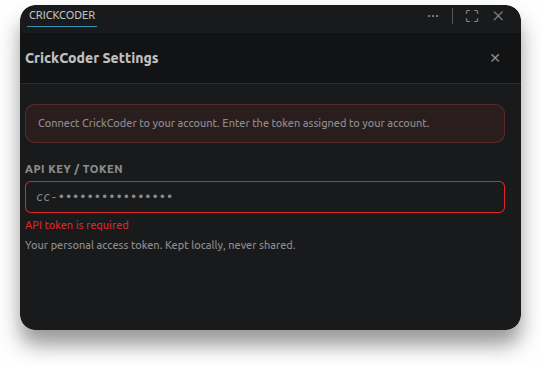
How to connect your IDE
Welcome to CrickCoder! To use our power natively inside your IDE, you need to generate a secure access key (API Key) to connect to our Hub (even for free models, there will be no paid consumption or hidden charges).
1. API Management Panel
Open your account dashboard and navigate to the API Keys section in the sidebar. In the top right corner, click the red Create new key button.

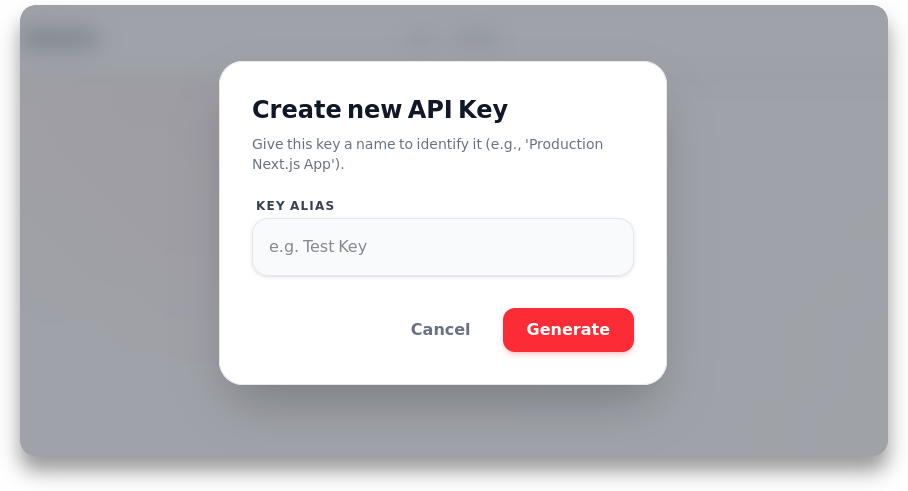
2. Enter an Alias
A popup will appear to create your new key. Type a relevant Alias (a descriptive name of your choice) so you can easily identify where this key is used (e.g., "Work MacBook", "CrickCoder VSCode Mini"). Once named, click the Generate button.
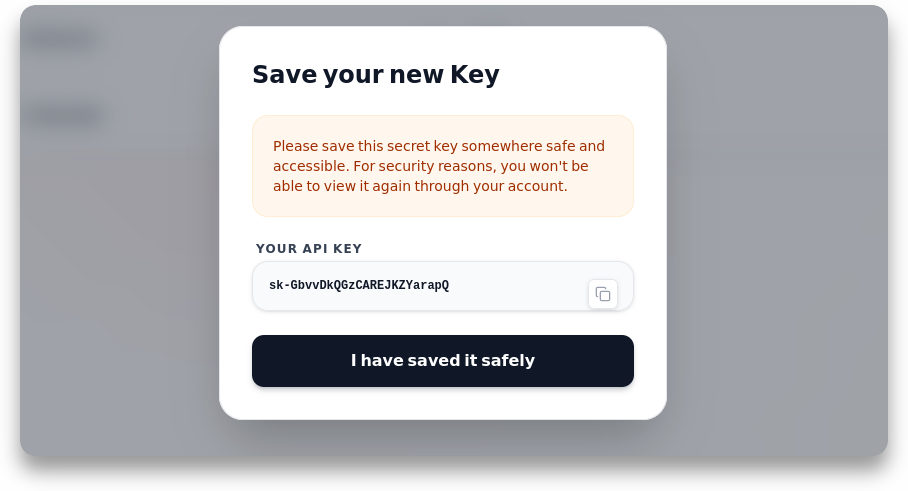
3. Save your Key
We will process and allocate a unique Bearer token, displayed on your screen. Click the copy icon to copy the key (sk-...). Then click "I have saved it safely" to confirm and securely close the window.
4. Connect your IDE
Return to your IDE. Open the CrickCoder extension and enter your API Key! The AI is now ready to assist you.